
InnoRDP Windows Remote Desktop2.0.0 - Google Play
You'll be able to see results in few seconds.
Publisher Description
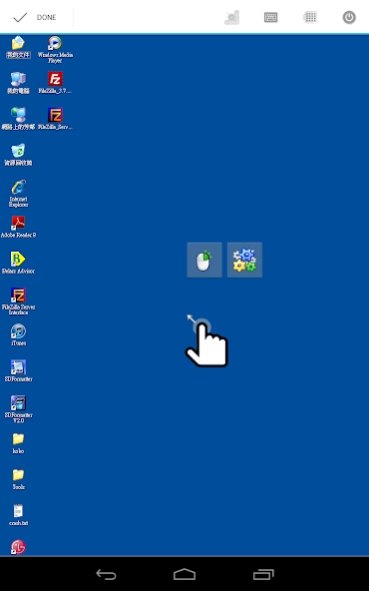
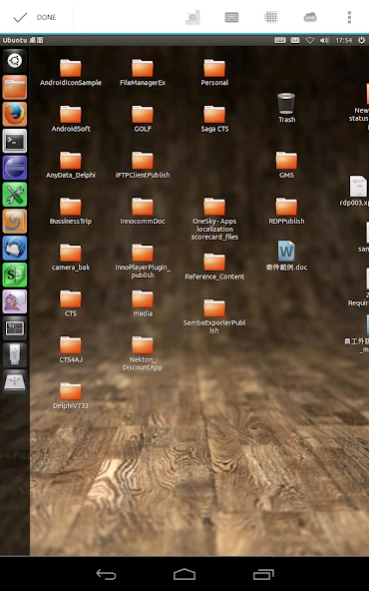
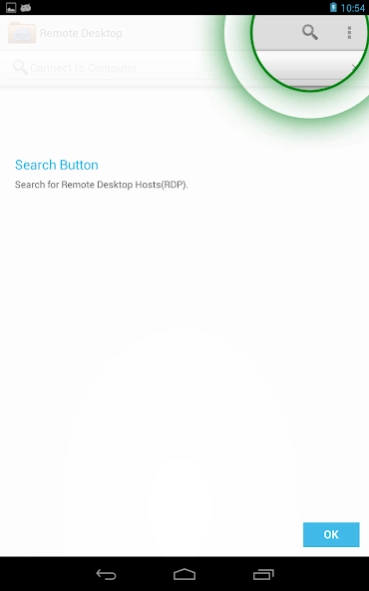
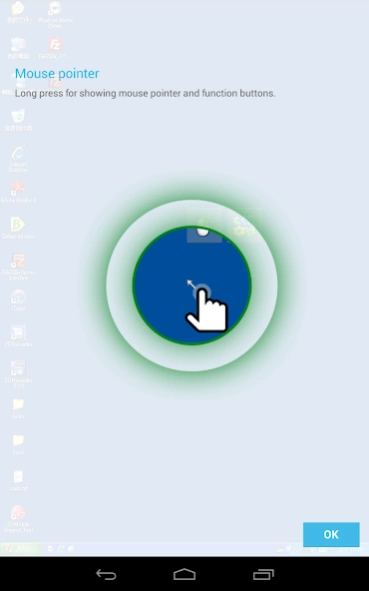
Remote desktop client
InnoRDP is a fast and secure application to access your desktop from anywhere.
The simple installation, intuitive usage, session bookmarks, customizable resolutions and the powerful features bring remote desktop access to a higher level and makes InnoRDP your perfect choice.
InnoRDP supports all operating systems that support Terminal Services respectively Remote Desktop Services out of the box.
Because live by advertising, if the ad fails to load, it will restrict the use of time!
Screen rotation will lead to reconnect, and then reload the ads, you can disable the rotation in the settings. Sorry.
*** Features Overview ***
Scan remote server
WakeOnLAN(WOL)
Android Client
Optimized for gesture sensitive phones and tablets
Full RDP integration
Customizable resolutions
Bookmark manager
Advanced performance settings (3G network)
Console mode
RDP/NLA/TLS or automatic encryption mode
Touch Pointer - Mouse Pointer designed for working with gestures
*** Optimized for Android and gestures ***
Touch Pointer - Mouse Pointer designed for controlling mouse and keyboard with gestures
Auto fit and customizeable resolutions
Custom keyboard featuring all keys found on a traditional PC keyboard
*** Integration of RDP protocol in Android ***
support of the latest RDP protocol version 7.1
Optimized compression and caching for mobile networks (3G)
RemoteFX support with NEON optimizations
NSCodec (fast 32-Bit bitmap compression) support
High security standards - RDP/NLA/TLS or automatic encryption mode
You must know that Microsoft has removed Terminal Services (Remote Desktop Services) from the Windows Home/Basic editions. In order to access those Windows systems with any RDP client you have to install an alternative Terminal Services (Remote Desktop Services) solution. We recommend "Thinstuff XP/VS Terminal Server" (http://www.thinstuff.com/products/xpvs-server/)!
Author: Mori Lin. Sann-tîng-poo
About InnoRDP Windows Remote Desktop
The company that develops InnoRDP Windows Remote Desktop is Mori Lin. The latest version released by its developer is 2.0.0.
To install InnoRDP Windows Remote Desktop on your Android device, just click the green Continue To App button above to start the installation process. The app is listed on our website since 2018-09-04 and was downloaded 0 times. We have already checked if the download link is safe, however for your own protection we recommend that you scan the downloaded app with your antivirus. Your antivirus may detect the InnoRDP Windows Remote Desktop as malware as malware if the download link to net.mori.freerdp is broken.
How to install InnoRDP Windows Remote Desktop on your Android device:
- Click on the Continue To App button on our website. This will redirect you to Google Play.
- Once the InnoRDP Windows Remote Desktop is shown in the Google Play listing of your Android device, you can start its download and installation. Tap on the Install button located below the search bar and to the right of the app icon.
- A pop-up window with the permissions required by InnoRDP Windows Remote Desktop will be shown. Click on Accept to continue the process.
- InnoRDP Windows Remote Desktop will be downloaded onto your device, displaying a progress. Once the download completes, the installation will start and you'll get a notification after the installation is finished.
Program Details
System requirements
Download information
Pricing
Version History
version 2.0.0
posted on 2018-09-04
update support libs
version 1.2.7
posted on 2017-02-08
1.2.7
Add privacy policy link
version 1.2.5
posted on 2016-06-20
1.2.5,Correct policy issue
Disclaimer
Official Google Play Link
We do not host InnoRDP Windows Remote Desktop on our servers. We did not scan it for viruses, adware, spyware or other type of malware. This app is hosted by Google and passed their terms and conditions to be listed there. We recommend caution when installing it.
The Google Play link for InnoRDP Windows Remote Desktop is provided to you by apps112.com without any warranties, representations or guarantees of any kind, so access it at your own risk.
If you have questions regarding this particular app contact the publisher directly. For questions about the functionalities of apps112.com contact us.
